Christmas Photo Ideas That Look Real, Not Staged
The best Christmas photo ideas give everyone a job. Hang the ornament, wrap the gift, pour the cocoa, walk through the market. People who are busy look relaxed, and people who are told to “just smile” look like they’re waiting for a dentist.
Below are 14 ideas, a table that matches each one to your light and your group, and the three mistakes that ruin most holiday photos: a tree that glows while the faces go dark, a flash that flattens everything, and a pose everyone holds for too long.
Pick the idea that fits your situation
Most lists give you 25 ideas and no way to choose. Start here instead.
| Your situation | Try this | Watch out for |
|---|---|---|
| Just you, at home | Hanging an ornament, wrapping a gift | Standing in front of the tree. Stand beside it |
| A couple, evening, indoors | Reading on the couch under a blanket, lights low | Overhead lights switching on mid-shot and turning everything yellow |
| Kids or a busy family | Opening one gift, decorating cookies | Making them freeze. Shoot a burst and pick later |
| A group of friends | Cocoa in a row, ugly sweaters, a toast | Everyone crammed into a straight line |
| Outside, daytime | A walk with a scarf, a coat against a plain wall | Squinting. Face away from the sun, or find shade |
| Outside, after dark | Market stalls, shop windows, a lit street | Lights that blow out to white blobs |
| Nothing festive nearby | Mugs, a candle and a string of lights on a table | A cluttered background |
At home
1. Hanging an ornament
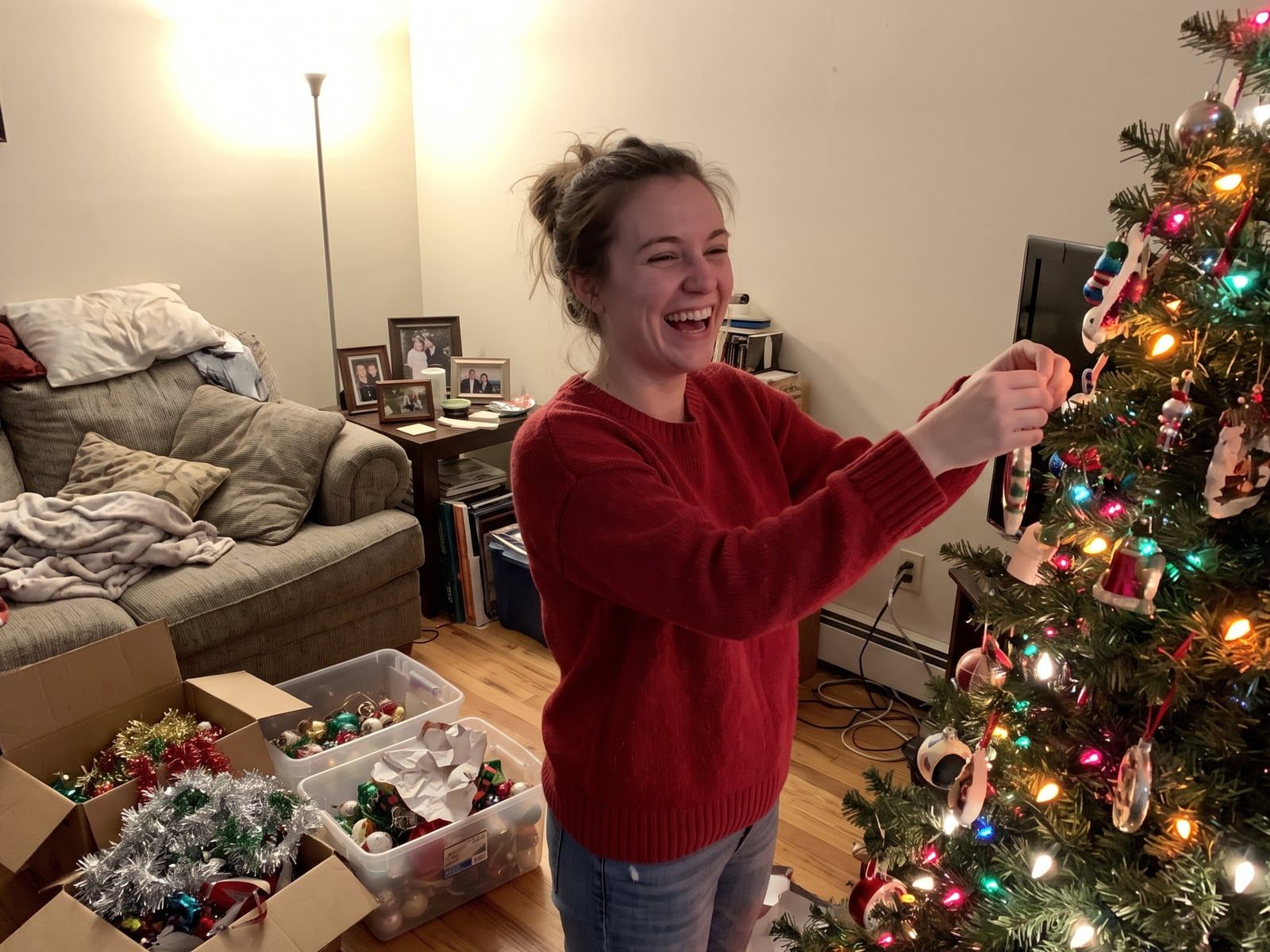
Stand beside the tree and reach toward a branch, looking at the ornament, not the camera. It gives your hands a task and your face a natural angle. Have someone shoot a few frames as you reach, then lean back.
2. Wrapping gifts on the floor
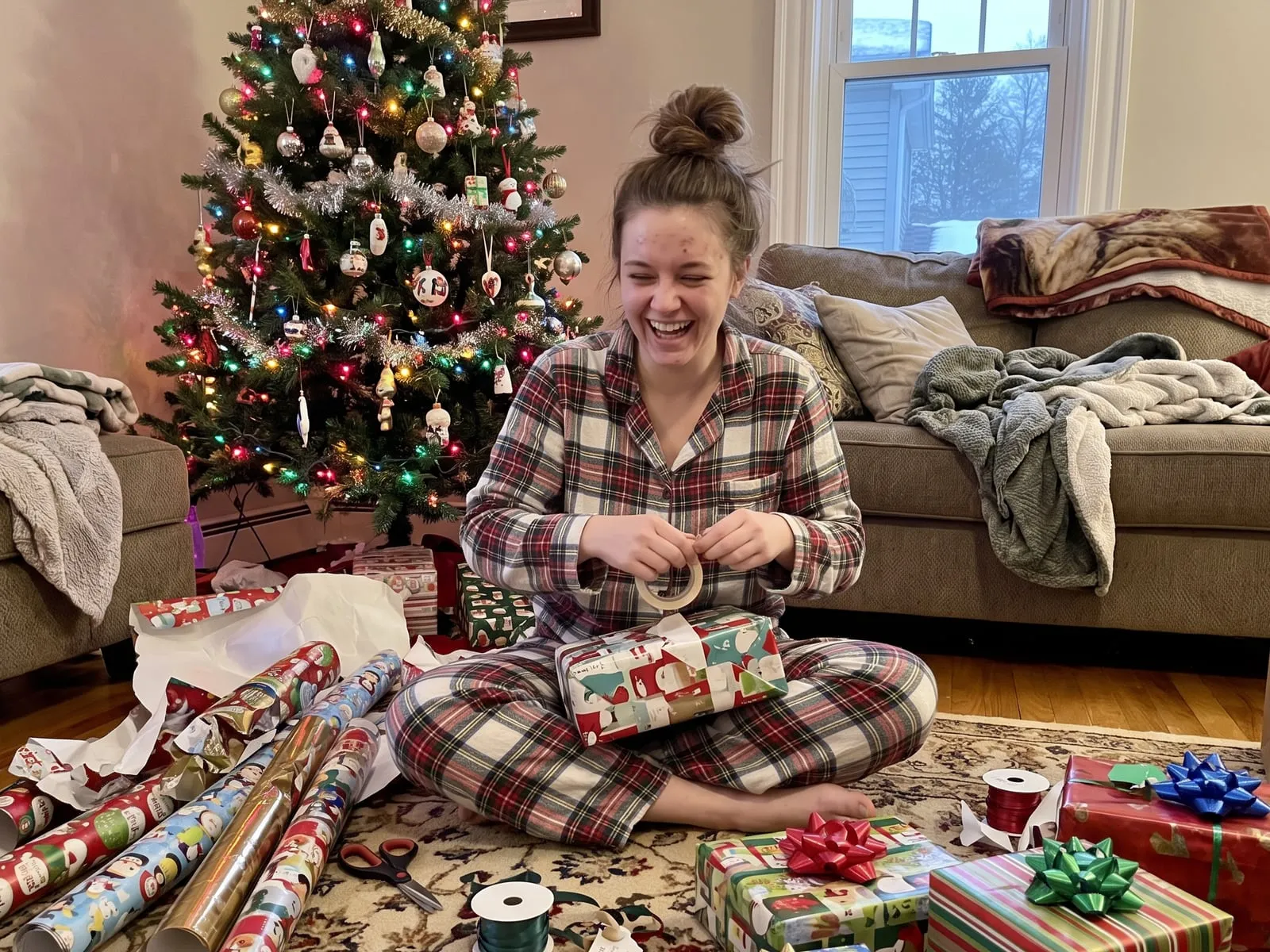
Sit on the floor with paper, tape and ribbon around you. Look down at what you’re doing and laugh at your own bad folding. This is the opposite of a posed portrait, and it’s usually the one people save.
3. Pajama morning
Matching pajamas, messy hair, a window for light. Shoot near a window in the morning and the soft daylight does the work. Turn the main lights off if they’re yellow.
4. The couch under a blanket
Two people, one blanket, tree lights in the background. Sit angled toward each other instead of both facing the lens, and let one head rest on a shoulder.
5. Cookie decorating
Hands covered in icing, one person offering the other a bite. Shoot from the side, slightly above, so you catch both faces and the table.
6. Reading by the tree
One person reading a book or a card aloud while the other listens. Light from the tree falls on the side of the face. It looks warm without any editing.
Outside
7. A walk in scarves and coats
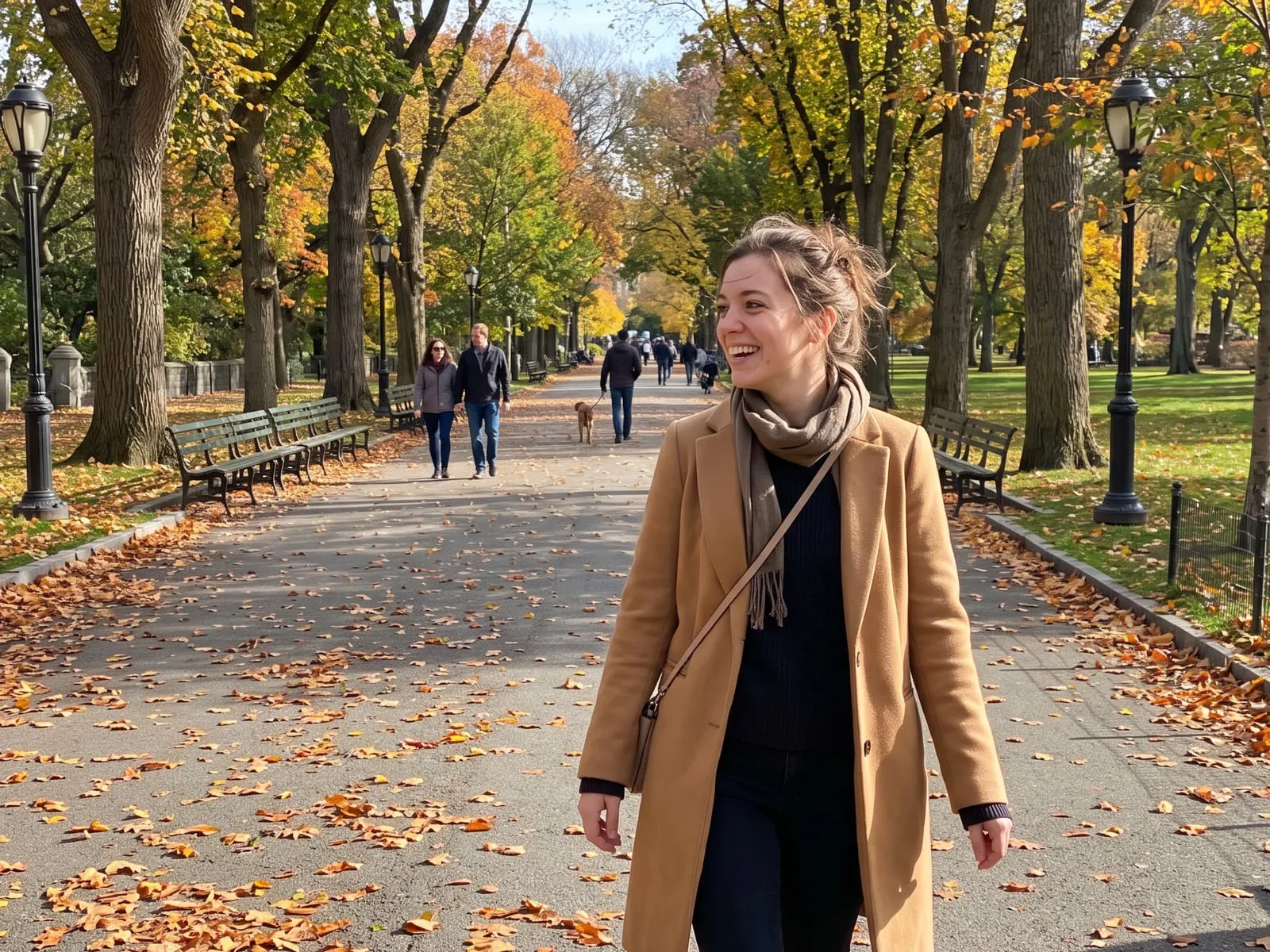
Walk toward the camera, then away, then look back over a shoulder. Bundled-up people look better in motion than standing still, because the coats stop looking stiff.
8. Holiday market
Stand a few steps in front of a lit stall so the lights sit behind you as soft dots. Hold a mug. Let the person with the camera crouch a little so the lights fill the background.
9. Shop windows
A lit window at night is a free light box. Stand facing it so the glow lands on your face, rather than with your back to it.
10. A plain wall and a bright coat
If the town is dull, a red or green coat against a brick or painted wall does more than any decoration. Lean on the wall, one foot up, and look off to the side.
11. Snow, if you have it
Don’t pose. Throw some, or kick some, or pick it up. Burst mode catches the moment it flies.
12. Warm place, no snow
Santa hats on a beach or by a pool is a real option and a funny one. Treat it as a joke you’re in on, and it works.
Together
13. The family on the couch
Sit people at different heights: someone on the arm of the couch, someone on the floor, small kids on laps. A flat row looks like a school photo. Layers look like a family.
14. The toast
Everyone holds a mug or glass toward the middle, close together. It naturally pulls people in, and nobody has to think about their hands. For more on that problem, see what to do with your hands in photos.
The three mistakes, and the fix for each
The tree is bright and the faces are dark
This is the most common holiday photo problem. The phone sees a wall of bright lights and sets the exposure for them, so people turn into silhouettes.
Tap on a face before you shoot. The phone re-meters for that face, and the lights glow without taking over. If faces are still dark, drag the sun icon up a little. If the lights turn into white blobs, drag it down a little. Try it a few times, then pick the frame that looks best.
Also move people. A person standing a couple of steps in front of the tree, with a lamp or window light on their face, looks far better than a person pressed against it.
The flash flattens the room
A flash on a dim room turns the warm glow into a harsh white face with a black background. Turn it off when you can. Put a lamp near the subject, or sit near a window. If the photo ends up a little dark, a small brightness bump later is kinder than a flash.
The pose goes stale
If you ask a group to hold a smile while you fiddle with the phone, it dies. Set the timer or get a helper, say “go”, take a burst, then have everyone laugh or look at each other. The frames just after the “official” one are often the good ones.
If you’re taking it yourself
- Prop the phone on a shelf or a stack of books and use the timer.
- Use the back camera for sharper photos.
- Hold the phone a bit above eye level.
- Take far more than you think you need. Ten tries for one good one is normal.
Where PosePal fits
If you want a pose to copy rather than a list to remember, PosePal is an iPhone app that puts a pose guide right in your camera, so you line yourself up with it. The poses are sorted into categories like couple, group and casual. The plain camera is free, a few poses in each category are free, and the rest are Pro.
If a holiday photo comes out too dark, Digital Flash is a Pro tool that works on a photo you already have in your gallery. It sends the photo to Google’s Gemini AI, so use it only on pictures you’re happy to send there.
For couples, our couple poses guide has 15 more to try.